

Reflect
Reflect

Reflect
for Final Cut Pro

Regular price $20.00
/
  • 30-day money-back guarantee
  • Pay once, yours forever
  • Install on up to 5 Macs
  • Pay with Apple Pay

Buy one, get one free on every plugin

Want every plugin?

80+ plugins for $80, about $1 each, and this one's included.

Upgrade to the MEGA BUNDLE

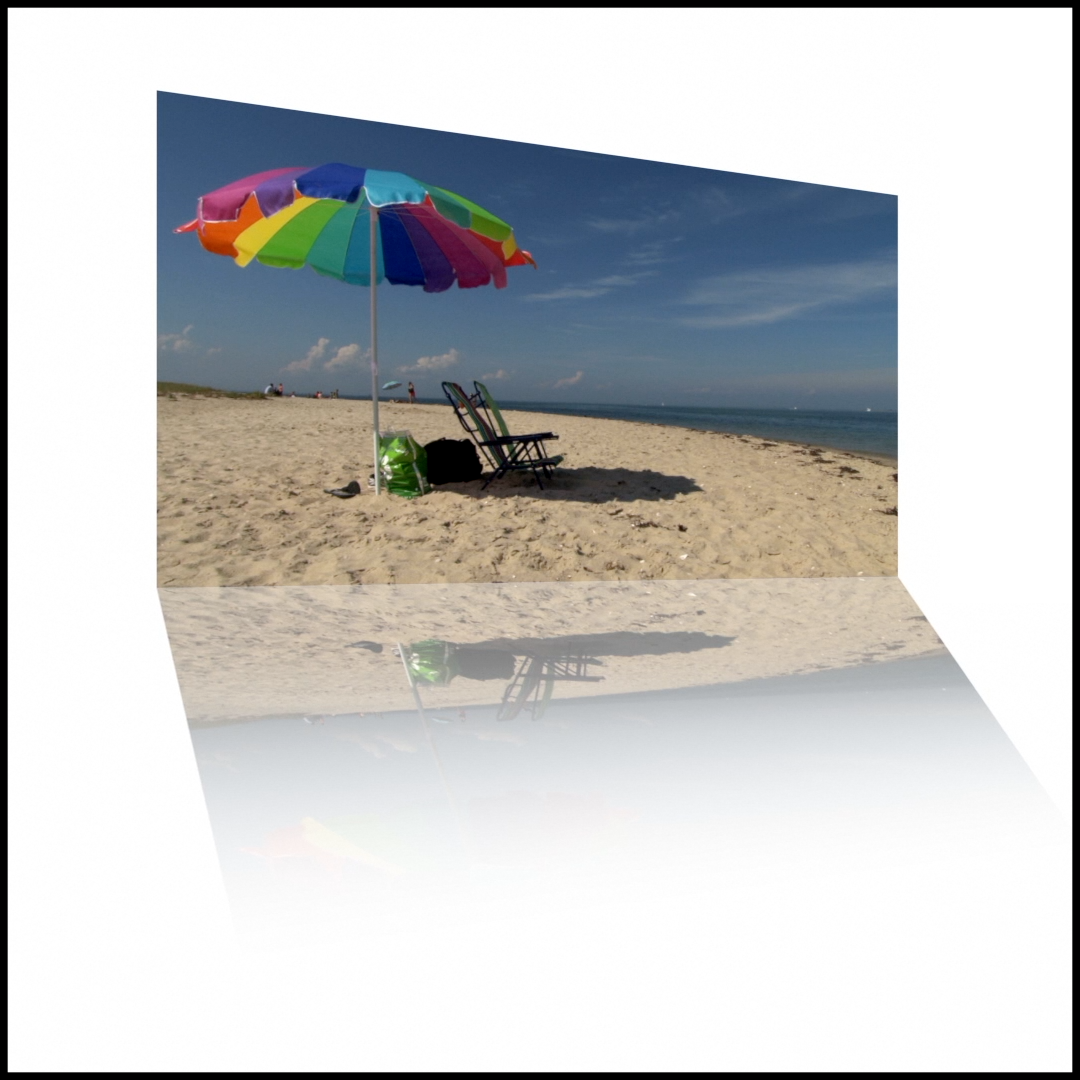
Reflect adds elegant reflection effects to videos, pictures and text in Final Cut Pro in seconds.

Control the clip and its reflection together or separately, with fade, blur, 3D rotation and keyframes.

Works with the current versions of Final Cut Pro and macOS, on Intel Macs and natively on Apple silicon. Pay once, yours forever; past customers get updates. Every order has a 30-day money-back guarantee.

Reflect is also one of the 80+ plugins in the MEGA BUNDLE, a $1,600+ value, for $80.

BUY ONE, GET ONE FREE

Every second plugin is free, applied automatically at checkout.


DemoReflect in action
Extended demoThe full Reflect demo

Reflection effect plugin for Final Cut Pro

Overview

Reflect is a Final Cut Pro plugin that adds elegant reflection effects to your videos, pictures and text in a matter of seconds.

Drag a preset onto a clip and a reflection appears beneath it. Global settings move the clip and its reflection together, while Source and Reflect settings control each one on its own.

Set the reflection's opacity, gradient and blur, flip its orientation, and rotate the clip in 3D with an adjustable angle of view.

Most settings can be keyframed, so you can animate your clips and their reflections.

Features
  • Instant reflections: presets for videos, pictures and text.
  • Global, Source and Reflect controls: move both together or adjust each on its own.
  • Reflection look: Reflect.Max.Opacity and Gradient.Adjust for the fade, with horizontal and vertical blur.
  • 3D rotation: rotate in 3D with an Angle.Of.View control.
  • Reflect.Flop: change the orientation of the reflection.
  • Keyframes: animate most settings over time.
How to use
  1. In the Effects browser sidebar, click My FCPeffects, then Reflect (show the sidebar if it is hidden).
  2. Drag a preset onto your clip, picture or text.
  3. If you see black bars, set Spatial Conform to Fill in the Inspector.
  4. For text, make it large and place it near the bottom of the frame before you apply Reflect.
  5. Adjust the reflection's opacity, gradient and blur, and keyframe settings to animate.
Requirements
  • Works with all versions of Final Cut Pro from the last 5+ years, including Final Cut Pro 11 and the current Final Cut Pro 12
  • Works with the current versions of macOS
  • Runs on Intel Macs and natively on Apple silicon (M1 and later)
  • No Apple Motion needed
  • Works with every resolution Final Cut Pro supports, including 4K and 8K
  • Install on any Mac you own that’s signed in to the same Apple account (Apple allows up to 5 Macs)
FAQ

Does it work on text?

Yes. Make your text large and place it near the bottom of the frame before applying Reflect.

Why do I see black bars around my clip?

The clip's shape does not match your project. Set Spatial Conform to Fill in the Inspector.

Can I animate the reflection?

Yes. Most settings can be keyframed.

Can I blur the reflection?

Yes. Use Horizontal.Blur and Vertical.Blur.

Is Reflect part of the MEGA BUNDLE?

Yes. It's one of the 80+ plugins in the MEGA BUNDLE, a $1,600+ value, for $80.

Is there a deal on individual plugins?

Yes. Buy one, get one free on every plugin, applied automatically.

How do I install it?

It's an instant download. Double-click the included installer (the .app file), then restart Final Cut Pro.

What if it isn't right for my project?

Every order is covered by our 30-day money-back guarantee.

Reflect

$20 · Instant download · 30-day money-back guarantee

Reflection examples

Mirror reflection on a sunset
Reflect a photo at an angle
Logo with a floor reflection
Product shot reflection
Water-style reflection in Final Cut Pro
Reflection below a video
30-day money-back guarantee Not happy? Just contact us for a full refund.
Secure checkout · Instant downloadApple Pay Shop Pay PayPalVisa Mastercard American Express Google Pay Amazon Amazon Diners ClubDiscoverUSDC

Save more

Buy one, get one free

Every second plugin is free, applied automatically at checkout.

Browse all plugins

The MEGA BUNDLE

All 80+ plugins, one price. A $1,600+ value.

Get the MEGA BUNDLE · $80

BUY ONE, GET ONE FREE

Every second plugin is free, applied automatically at checkout.


Skin Smoother
Skin Smoother
White Balance Plugin
Ken Burns Plugin
Ken Burns Plugin
Screen Splitter 2 split screen layouts
Screen Splitter 2